
A tablet can be useful for a video call, a school activity or a quiet moment during a journey, but children do not always handle devices gently. A well-fitted case can reduce everyday bumps and scratches. The right choice depends on the exact tablet model, the child’s age and how the device is used.
This guide looks at seven types of protective cases and accessories parents may want to compare. These are product categories rather than laboratory-tested rankings: check the current product specifications, independent reviews and the manufacturer’s instructions before buying.

Disclaimer: This post contains affiliate links. As an Amazon Associate, I earn from qualifying purchases at no extra cost to you.
What to Check Before Buying a Kids’ Tablet Case
Start with the tablet itself, not the case description. Two devices can have the same screen size but different camera positions, button locations, speaker openings and dimensions. Find the exact model name or model number in the device settings or on the manufacturer’s support page, then compare it with the case’s compatibility list.
- Fit: The case should match the exact tablet generation and model, with openings that line up with the ports, cameras and speakers.
- Edge coverage: Raised edges and covered corners may help protect the screen and body during ordinary bumps, but no case makes a device drop-proof.
- Grip and weight: Handles can help smaller children carry a device, while a bulky case may make it harder for them to hold.
- Stand design: Check that a kickstand opens and closes securely and does not make the tablet unstable.
- Cleaning: Look for materials and care instructions that suit how often the case will need wiping.
- Access: Make sure the case does not block buttons, microphones, charging ports or ventilation openings.
7 Protective Cases and Accessories to Compare
1. EVA Foam Case with a Carry Handle
Thick EVA foam cases are popular for younger children because the soft outer material and built-in handles can make a tablet easier to grip. Many designs also include a fold-out stand. Compare the thickness around the corners, the quality of the handle and whether the case fits the exact device.
Foam can become worn or torn with regular use. Inspect the case from time to time and replace it if pieces loosen, the handle cracks or the tablet no longer sits securely. You can compare EVA foam tablet cases on Amazon, checking the model compatibility before ordering.
2. Rugged Silicone or Multi-Layer Case
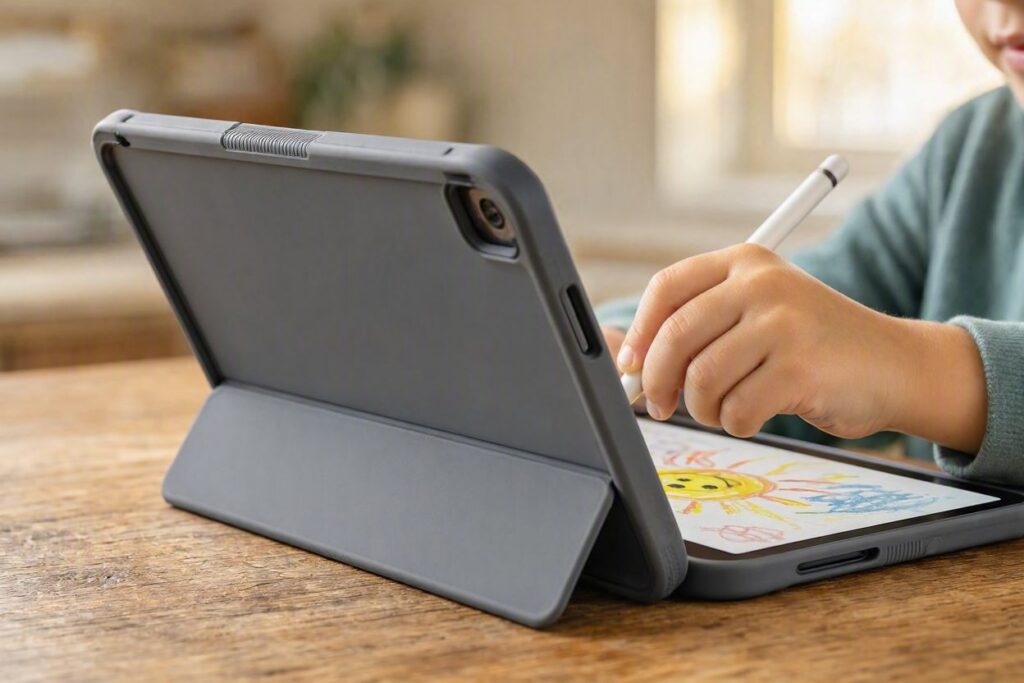
A silicone or multi-layer case may suit a school-age child who uses a tablet for drawing, reading and games. Flexible corners can make the device more comfortable to hold, while some models add a firm inner shell or a kickstand. Construction varies, so do not assume that every silicone case offers the same level of impact protection.
Check whether the case attracts lint, becomes slippery when wet or is difficult to remove for cleaning. Also look for clear instructions about cleaning products; strong solvents and excessive heat can damage some materials.
3. Tempered-Glass Screen Protector
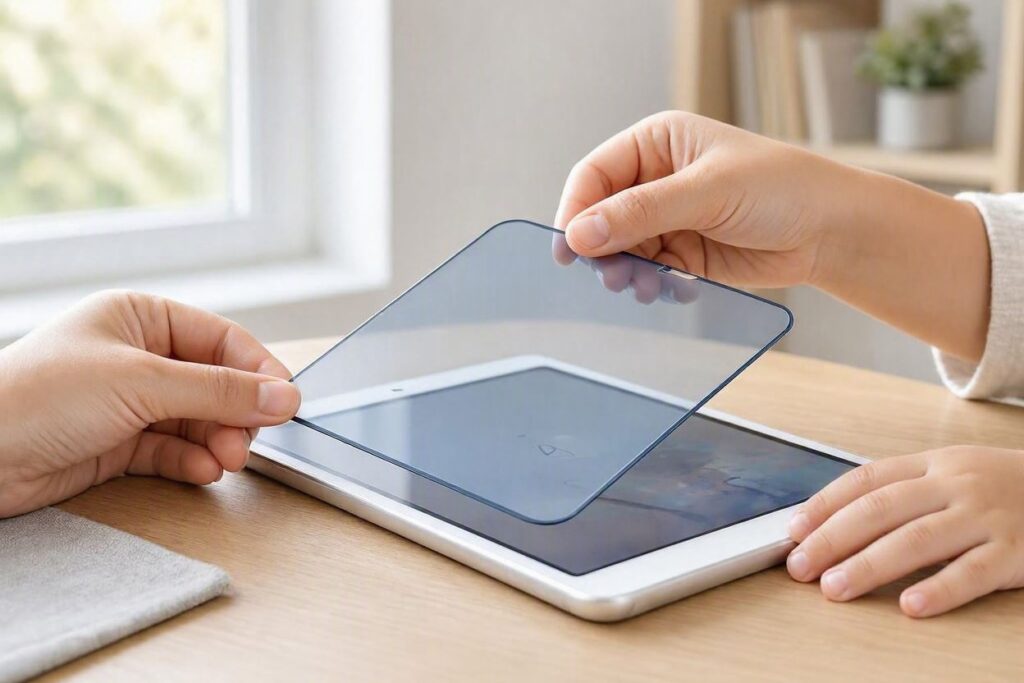
A tempered-glass protector is designed mainly to help prevent scratches and may reduce the chance of the original screen being marked by everyday contact. It does not guarantee that the display will survive a hard fall. Check that the protector is made for the exact tablet model and that it does not interfere with touch response, the front camera or a case fitted around the edges.
Some protectors have rounded edges or an installation frame that makes fitting easier. Read the fitting instructions and avoid using a cracked or lifting protector, as damaged glass should be replaced rather than left in place.
4. Matte Anti-Glare Screen Film
A matte film can reduce reflections from windows and overhead lights. Some children also prefer the slightly textured feel when using a stylus. The trade-off is that certain matte films can make the display look less sharp or affect how colours appear. If possible, read reviews that mention the specific tablet model and compare the film’s clarity before buying.
Stands and Travel Accessories
5. Soft Pillow-Style Tablet Stand
A pillow-style stand can hold a tablet on a desk, sofa or other stable surface, leaving a child’s hands free for a stylus or a snack. Look for a wide, stable base and a pocket or support that holds the device without covering its speakers. These stands are not designed to protect a tablet from drops, and they should not be placed where a child might trip over them.
For a younger child, use the stand on a low, stable surface and supervise use. Compare the size and angle options before choosing a pillow-style tablet stand.
6. Vehicle Headrest Tablet Holder
A headrest holder can keep a screen in view for rear-seat passengers, but vehicle use needs more care than using a stand at home. In a sudden stop or crash, unsecured hard objects can move and injure occupants. Choose only a holder specifically designed and tested for vehicle use, install it exactly as instructed, and check that it does not interfere with the vehicle headrest, seat or child restraint.
Do not attach accessories to a child car seat or alter its harness unless the car-seat manufacturer expressly permits that specific accessory. The child must remain correctly secured in the appropriate restraint; a tablet holder is never a substitute for proper car-seat installation. If the holder’s safety testing or compatibility is unclear, leave it out of the vehicle.

Audio Accessories and Healthy Screen Habits
7. Volume-Limiting Children’s Headphones
Headphones can be useful when a child is listening in a shared space, but a “volume-limited” label alone does not guarantee safe listening. Actual sound levels depend on the device, the headphone and how they are used. Look for adjustable parental controls, a comfortable fit and clear product information about the limiter.
The World Health Organization advises keeping personal-device volume low, taking listening breaks and choosing devices with listening-safety features. Its safe-listening standard includes a child mode based on 75 dB for 40 hours per week. This is a reference exposure level, not a target or a reason to listen continuously. Where practical, use the tablet’s speakers at a comfortable level instead of headphones.

Simple Ways to Make Tablet Use More Comfortable
A protective case helps with physical knocks, but it cannot make long periods of screen use healthy by itself. The American Academy of Pediatrics notes that prolonged close-up screen use can contribute to tired eyes and discomfort. Families can make small adjustments without buying special “blue-light” products.
- Reduce glare: Position the screen away from direct sunlight and bright reflections. Adjust brightness to suit the room.
- Take regular breaks: Encourage children to look away from the screen, move around and spend time on non-screen activities.
- Use a comfortable position: Place the tablet on a stable stand when possible, and avoid long periods of looking down at a device held in the lap.
- Keep screens out of bedtime: A calm wind-down routine without a tablet can help protect sleep time.
- Set age-appropriate boundaries: Choose content together, stay involved and make sure screen use does not replace sleep, physical activity, reading or face-to-face interaction.
- Keep devices away from food and liquids: This reduces the chance of spills entering ports or damaging the screen.
A Quick Parent Checklist
- Confirm the exact tablet model before ordering a case or screen protector.
- Check the case’s edge coverage, handle, stand and cleaning instructions.
- Replace cracked screen protectors and damaged cases.
- Use stands only on stable surfaces and keep charging cables out of walking paths.
- For car travel, follow the vehicle and child-restraint manufacturers’ instructions; avoid untested accessories.
- Keep headphone volume low and encourage regular breaks.
Questions and Answers
Do tablet cases fit every device with the same screen size?
No. Camera placement, button locations and the device’s dimensions can differ. Check the exact model number and the case manufacturer’s compatibility list.
Does a rugged case make a tablet drop-proof?
No case can guarantee protection from every fall. A well-fitted case may reduce damage from everyday knocks, but the device can still break if dropped from a height or onto a hard surface.
Do children need blue-light screen protectors?
There is no good reason to buy one on the promise that it will protect a child’s eyes from screen light. Reducing glare, taking breaks and avoiding screens close to bedtime are more practical steps.
Are volume-limiting headphones automatically safe?
No. Sound output can vary between devices and headphones. Keep the volume low, limit listening time and choose products with clear parental volume controls.
Can I use any tablet holder in the car?
No. Use only a holder designed and tested for vehicle use, follow its instructions and make sure it does not interfere with the child restraint or vehicle safety features. Do not add unapproved accessories to a car seat.
Sources and Further Reading
- American Academy of Pediatrics: Give Your Child’s Eyes a Screen-Time Break – practical advice about eye fatigue and screen breaks.
- World Health Organization: Safe Listening Devices and Systems – guidance on listening levels and parental volume controls.
- NHTSA: Car Seat Installation Tips – reminders to follow the vehicle and child-restraint manufacturers’ instructions.
- University of Michigan: Car Seat Safety – explains why hard loose objects can become projectiles in a crash.
The most useful tablet accessory is the one that fits the exact device, suits the child’s age and is used as intended. Start with a properly fitted case, then add only the accessories that solve a real need. A case can help protect the tablet, while sensible screen habits and adult supervision remain just as important.
For more family-friendly device advice, read our guide to kids tablets for educational games and our article on kids backpacks for travel.
You can also compare tablet accessories on Amazon, but check the listing details and model compatibility before purchasing.